About me
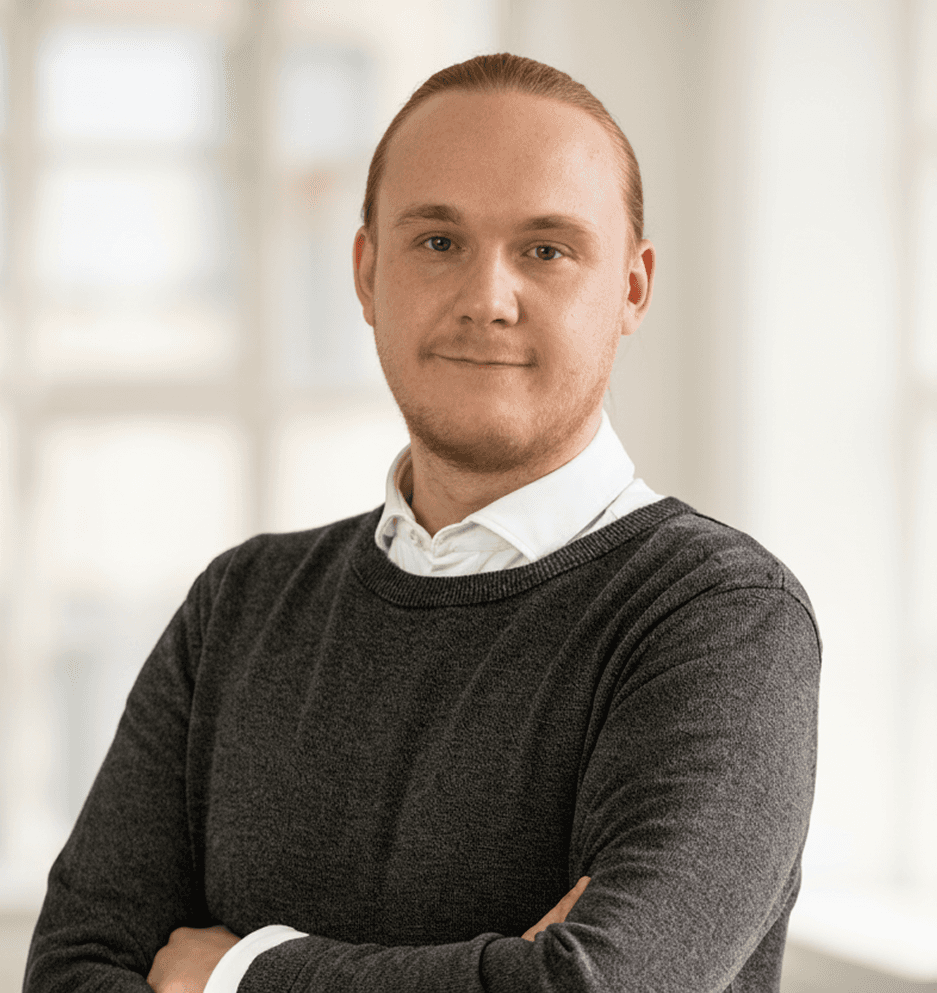
My name is Victor Bielski, and I have advanced proficiency in digital tools, specializing in interaction design and the creation of seamless, innovative digital interfaces.
I have developed these skills through 2.5 years of professional experience in the field, complemented by a long-standing personal passion for digital design.
My professional journey as a UX/UI Designer
Even though I don’t have a long résumé, I’ve held several interesting positions that have shaped me into the UX/UI designer I am today.
UX Designer
Vurderingsstyrelsen
Jan 2025 - Present
UX Designer
Vurderingsstyrelsen
Jan 2025 - Present
UX Designer
Vurderingsstyrelsen
Jan 2025 - Present
UX/UI Designer
Excelerate
Jan 2024 - Nov 2024
UX/UI Designer
Excelerate
Jan 2024 - Nov 2024
UX/UI Designer
Excelerate
Jan 2024 - Nov 2024
UX/UI Designer
Contractus
Jan 2024 - Nov 2024
UX/UI Designer
Contractus
Jan 2024 - Nov 2024
UX/UI Designer
Contractus
Jan 2024 - Nov 2024
Webdesigner
Væksthuset Rosendal & Co
Feb 2019 - May 2019
Webdesigner
Væksthuset Rosendal & Co
Feb 2019 - May 2019
Webdesigner
Væksthuset Rosendal & Co
Feb 2019 - May 2019
Webdesigner
Siteworks
Aug 2018 - Dec 2018
Webdesigner
Siteworks
Aug 2018 - Dec 2018
Webdesigner
Siteworks
Aug 2018 - Dec 2018
My educational journey
Ever since joining the world of digital design in 2017, I have accomplished a long educational journal to become a UX/UI designer.
MSc Digital Design
2021 - 2023
IT-University of Copenhagen
MSc Digital Design
2021 - 2023
IT-University of Copenhagen
MSc Digital Design
2021 - 2023
IT-University of Copenhagen
BSc web development
2019 - 2021
Copenhagen Business Academy
BSc web development
2019 - 2021
Copenhagen Business Academy
BSc web development
2019 - 2021
Copenhagen Business Academy
AP Degree multimedia
2017 - 2019
Copenhagen Business Academy
AP Degree multimedia
2017 - 2019
Copenhagen Business Academy
AP Degree multimedia
2017 - 2019
Copenhagen Business Academy
what I can do for you
As a digital designer, I am a visual storyteller, crafting experiences that connect deeply and spark creativity.
1. ui design
Prototyping and wireframing
Responsive UI design
Style and design guides
Design trends
2. UX Design
User-centric design
User journeys
Usability testing
Interactive prototyping
3. Digital Design
Graphic design
Info graphics
Design workshops
Design branding
4. Interaction design
Personas
A/B testing
Micro interactions
User analysis
1. ui design
Prototyping and wireframing
Responsive UI design
Style and design guides
Design trends
2. UX Design
User-centric design
User journeys
Usability testing
Interactive prototyping
3. Digital Design
Graphic design
Info graphics
Design workshops
Design branding
4. Interaction design
Personas
A/B testing
Micro interactions
User analysis
1. ui design
Prototyping and wireframing
Responsive UI design
Style and design guides
Design trends
2. UX Design
User-centric design
User journeys
Usability testing
Interactive prototyping
3. Digital Design
Graphic design
Info graphics
Design workshops
Design branding
4. Interaction design
Personas
A/B testing
Micro interactions
User analysis
Tools i master
I use a variety of different tools in my daily work, each serving a specific purpose in the design process. Below, you can explore the tools I’ve worked with in the past — as well as those I continue to use today.

Figma
My number #1 tool for design, which I have been using frequently since its release.

Figma
My number #1 tool for design, which I have been using frequently since its release.

Adobe XD
Another popular tool in my toolbox for interactive prototyping.

Adobe XD
Another popular tool in my toolbox for interactive prototyping.

Miro
My go-to tool for everything from planning and brainstorming, to userflows and sitemaps.

Miro
My go-to tool for everything from planning and brainstorming, to userflows and sitemaps.

Uizard
Experienced using Uizard mainly in the preliminary parts of a design proces. Mostly for inspirational use.

Uizard
Experienced using Uizard mainly in the preliminary parts of a design proces. Mostly for inspirational use.

Sketch
Another design tool I have work with during my time as a UX/UI designer.

Sketch
Another design tool I have work with during my time as a UX/UI designer.


my approach
While a design process never feels a linear pattern, I do always approach in the same way, with openness for sudden changes.
01.
Research
No matter the size of the project — small, medium, or complex — I always start with research. Understanding benchmarks and goals from the beginning makes my work more focused and ensures the best results. For me, this is the most important part of the design process.
01.
Research
No matter the size of the project — small, medium, or complex — I always start with research. Understanding benchmarks and goals from the beginning makes my work more focused and ensures the best results. For me, this is the most important part of the design process.
01.
Research
No matter the size of the project — small, medium, or complex — I always start with research. Understanding benchmarks and goals from the beginning makes my work more focused and ensures the best results. For me, this is the most important part of the design process.


02.
conceptualization
From the research phase, I move on to building a concept. This stage includes everything from early sketches and wireframes to high-fidelity and interactive prototypes — where ideas start to take shape.
02.
conceptualization
From the research phase, I move on to building a concept. This stage includes everything from early sketches and wireframes to high-fidelity and interactive prototypes — where ideas start to take shape.
02.
conceptualization
From the research phase, I move on to building a concept. This stage includes everything from early sketches and wireframes to high-fidelity and interactive prototypes — where ideas start to take shape.


03.
Specification and refinement
As I move into the refinement phase, I like to outline clear specifications for the new concept. I’ve found this to be a great way to collaborate with developers and align on the vision — ensuring that everyone works toward the same goal.
03.
Specification and refinement
As I move into the refinement phase, I like to outline clear specifications for the new concept. I’ve found this to be a great way to collaborate with developers and align on the vision — ensuring that everyone works toward the same goal.
03.
Specification and refinement
As I move into the refinement phase, I like to outline clear specifications for the new concept. I’ve found this to be a great way to collaborate with developers and align on the vision — ensuring that everyone works toward the same goal.
04.
Usability test and iterations
Usability testing and iteration are key parts of my process. I make sure the concept works as intended, often using surveys and interviews, and refine it based on the feedback I gather.
04.
Usability test and iterations
Usability testing and iteration are key parts of my process. I make sure the concept works as intended, often using surveys and interviews, and refine it based on the feedback I gather.
04.
Usability test and iterations
Usability testing and iteration are key parts of my process. I make sure the concept works as intended, often using surveys and interviews, and refine it based on the feedback I gather.
05.
Hand-over
The final stage of the process is the developer handover, where I provide a fully interactive design file — often created in Figma — to the development team. This usually includes a final meeting to ensure everyone is aligned and on the same page.
05.
Hand-over
The final stage of the process is the developer handover, where I provide a fully interactive design file — often created in Figma — to the development team. This usually includes a final meeting to ensure everyone is aligned and on the same page.
05.
Hand-over
The final stage of the process is the developer handover, where I provide a fully interactive design file — often created in Figma — to the development team. This usually includes a final meeting to ensure everyone is aligned and on the same page.

About me
My name is Victor Bielski, and I have advanced proficiency in digital tools, specializing in interaction design and the creation of seamless, innovative digital interfaces.
I have developed these skills through 2.5 years of professional experience in the field, complemented by a long-standing personal passion for digital design.
My professional journey as a UX/UI Designer
Even though I don’t have a long résumé, I’ve held several interesting positions that have shaped me into the UX/UI designer I am today.
UX Designer
Vurderingsstyrelsen
Jan 2025 - Present
UX Designer
Vurderingsstyrelsen
Jan 2025 - Present
UX Designer
Vurderingsstyrelsen
Jan 2025 - Present
UX/UI Designer
Excelerate
Jan 2024 - Nov 2024
UX/UI Designer
Excelerate
Jan 2024 - Nov 2024
UX/UI Designer
Excelerate
Jan 2024 - Nov 2024
UX/UI Designer
Contractus
Jan 2024 - Nov 2024
UX/UI Designer
Contractus
Jan 2024 - Nov 2024
UX/UI Designer
Contractus
Jan 2024 - Nov 2024
Webdesigner
Væksthuset Rosendal & Co
Feb 2019 - May 2019
Webdesigner
Væksthuset Rosendal & Co
Feb 2019 - May 2019
Webdesigner
Væksthuset Rosendal & Co
Feb 2019 - May 2019
Webdesigner
Siteworks
Aug 2018 - Dec 2018
Webdesigner
Siteworks
Aug 2018 - Dec 2018
Webdesigner
Siteworks
Aug 2018 - Dec 2018
My educational journey
Ever since joining the world of digital design in 2017, I have accomplished a long educational journal to become a UX/UI designer.
MSc Digital Design
2021 - 2023
IT-University of Copenhagen
MSc Digital Design
2021 - 2023
IT-University of Copenhagen
MSc Digital Design
2021 - 2023
IT-University of Copenhagen
BSc web development
2019 - 2021
Copenhagen Business Academy
BSc web development
2019 - 2021
Copenhagen Business Academy
BSc web development
2019 - 2021
Copenhagen Business Academy
AP Degree multimedia
2017 - 2019
Copenhagen Business Academy
AP Degree multimedia
2017 - 2019
Copenhagen Business Academy
AP Degree multimedia
2017 - 2019
Copenhagen Business Academy
what I can do for you
As a digital designer, I am a visual storyteller, crafting experiences that connect deeply and spark creativity.
1. ui design
Prototyping and wireframing
Responsive UI design
Style and design guides
Design trends
2. UX Design
User-centric design
User journeys
Usability testing
Interactive prototyping
3. Digital Design
Graphic design
Info graphics
Design workshops
Design branding
4. Interaction design
Personas
A/B testing
Micro interactions
User analysis
1. ui design
Prototyping and wireframing
Responsive UI design
Style and design guides
Design trends
2. UX Design
User-centric design
User journeys
Usability testing
Interactive prototyping
3. Digital Design
Graphic design
Info graphics
Design workshops
Design branding
4. Interaction design
Personas
A/B testing
Micro interactions
User analysis
1. ui design
Prototyping and wireframing
Responsive UI design
Style and design guides
Design trends
2. UX Design
User-centric design
User journeys
Usability testing
Interactive prototyping
3. Digital Design
Graphic design
Info graphics
Design workshops
Design branding
4. Interaction design
Personas
A/B testing
Micro interactions
User analysis
Tools i master
I use a variety of different tools in my daily work, each serving a specific purpose in the design process. Below, you can explore the tools I’ve worked with in the past — as well as those I continue to use today.

Figma
My number #1 tool for design, which I have been using frequently since its release.

Figma
My number #1 tool for design, which I have been using frequently since its release.

Adobe XD
Another popular tool in my toolbox for interactive prototyping.

Adobe XD
Another popular tool in my toolbox for interactive prototyping.

Miro
My go-to tool for everything from planning and brainstorming, to userflows and sitemaps.

Miro
My go-to tool for everything from planning and brainstorming, to userflows and sitemaps.

Uizard
Experienced using Uizard mainly in the preliminary parts of a design proces. Mostly for inspirational use.

Uizard
Experienced using Uizard mainly in the preliminary parts of a design proces. Mostly for inspirational use.

Sketch
Another design tool I have work with during my time as a UX/UI designer.

Sketch
Another design tool I have work with during my time as a UX/UI designer.


my approach
While a design process never feels a linear pattern, I do always approach in the same way, with openness for sudden changes.
01.
Research
No matter the size of the project — small, medium, or complex — I always start with research. Understanding benchmarks and goals from the beginning makes my work more focused and ensures the best results. For me, this is the most important part of the design process.
01.
Research
No matter the size of the project — small, medium, or complex — I always start with research. Understanding benchmarks and goals from the beginning makes my work more focused and ensures the best results. For me, this is the most important part of the design process.
01.
Research
No matter the size of the project — small, medium, or complex — I always start with research. Understanding benchmarks and goals from the beginning makes my work more focused and ensures the best results. For me, this is the most important part of the design process.


02.
conceptualization
From the research phase, I move on to building a concept. This stage includes everything from early sketches and wireframes to high-fidelity and interactive prototypes — where ideas start to take shape.
02.
conceptualization
From the research phase, I move on to building a concept. This stage includes everything from early sketches and wireframes to high-fidelity and interactive prototypes — where ideas start to take shape.
02.
conceptualization
From the research phase, I move on to building a concept. This stage includes everything from early sketches and wireframes to high-fidelity and interactive prototypes — where ideas start to take shape.


03.
Specification and refinement
As I move into the refinement phase, I like to outline clear specifications for the new concept. I’ve found this to be a great way to collaborate with developers and align on the vision — ensuring that everyone works toward the same goal.
03.
Specification and refinement
As I move into the refinement phase, I like to outline clear specifications for the new concept. I’ve found this to be a great way to collaborate with developers and align on the vision — ensuring that everyone works toward the same goal.
03.
Specification and refinement
As I move into the refinement phase, I like to outline clear specifications for the new concept. I’ve found this to be a great way to collaborate with developers and align on the vision — ensuring that everyone works toward the same goal.
04.
Usability test and iterations
Usability testing and iteration are key parts of my process. I make sure the concept works as intended, often using surveys and interviews, and refine it based on the feedback I gather.
04.
Usability test and iterations
Usability testing and iteration are key parts of my process. I make sure the concept works as intended, often using surveys and interviews, and refine it based on the feedback I gather.
04.
Usability test and iterations
Usability testing and iteration are key parts of my process. I make sure the concept works as intended, often using surveys and interviews, and refine it based on the feedback I gather.
05.
Hand-over
The final stage of the process is the developer handover, where I provide a fully interactive design file — often created in Figma — to the development team. This usually includes a final meeting to ensure everyone is aligned and on the same page.
05.
Hand-over
The final stage of the process is the developer handover, where I provide a fully interactive design file — often created in Figma — to the development team. This usually includes a final meeting to ensure everyone is aligned and on the same page.
05.
Hand-over
The final stage of the process is the developer handover, where I provide a fully interactive design file — often created in Figma — to the development team. This usually includes a final meeting to ensure everyone is aligned and on the same page.

About me
My name is Victor Bielski, and I have advanced proficiency in digital tools, specializing in interaction design and the creation of seamless, innovative digital interfaces.
I have developed these skills through 2.5 years of professional experience in the field, complemented by a long-standing personal passion for digital design.
My professional journey as a UX/UI Designer
Even though I don’t have a long résumé, I’ve held several interesting positions that have shaped me into the UX/UI designer I am today.
UX Designer
Vurderingsstyrelsen
Jan 2025 - Present
UX Designer
Vurderingsstyrelsen
Jan 2025 - Present
UX Designer
Vurderingsstyrelsen
Jan 2025 - Present
UX/UI Designer
Excelerate
Jan 2024 - Nov 2024
UX/UI Designer
Excelerate
Jan 2024 - Nov 2024
UX/UI Designer
Excelerate
Jan 2024 - Nov 2024
UX/UI Designer
Contractus
Jan 2024 - Nov 2024
UX/UI Designer
Contractus
Jan 2024 - Nov 2024
UX/UI Designer
Contractus
Jan 2024 - Nov 2024
Webdesigner
Væksthuset Rosendal & Co
Feb 2019 - May 2019
Webdesigner
Væksthuset Rosendal & Co
Feb 2019 - May 2019
Webdesigner
Væksthuset Rosendal & Co
Feb 2019 - May 2019
Webdesigner
Siteworks
Aug 2018 - Dec 2018
Webdesigner
Siteworks
Aug 2018 - Dec 2018
Webdesigner
Siteworks
Aug 2018 - Dec 2018
My educational journey
Ever since joining the world of digital design in 2017, I have accomplished a long educational journal to become a UX/UI designer.
MSc Digital Design
2021 - 2023
IT-University of Copenhagen
MSc Digital Design
2021 - 2023
IT-University of Copenhagen
MSc Digital Design
2021 - 2023
IT-University of Copenhagen
BSc web development
2019 - 2021
Copenhagen Business Academy
BSc web development
2019 - 2021
Copenhagen Business Academy
BSc web development
2019 - 2021
Copenhagen Business Academy
AP Degree multimedia
2017 - 2019
Copenhagen Business Academy
AP Degree multimedia
2017 - 2019
Copenhagen Business Academy
AP Degree multimedia
2017 - 2019
Copenhagen Business Academy
what I can do for you
As a digital designer, I am a visual storyteller, crafting experiences that connect deeply and spark creativity.
1. ui design
Prototyping and wireframing
Responsive UI design
Style and design guides
Design trends
2. UX Design
User-centric design
User journeys
Usability testing
Interactive prototyping
3. Digital Design
Graphic design
Info graphics
Design workshops
Design branding
4. Interaction design
Personas
A/B testing
Micro interactions
User analysis
1. ui design
Prototyping and wireframing
Responsive UI design
Style and design guides
Design trends
2. UX Design
User-centric design
User journeys
Usability testing
Interactive prototyping
3. Digital Design
Graphic design
Info graphics
Design workshops
Design branding
4. Interaction design
Personas
A/B testing
Micro interactions
User analysis
1. ui design
Prototyping and wireframing
Responsive UI design
Style and design guides
Design trends
2. UX Design
User-centric design
User journeys
Usability testing
Interactive prototyping
3. Digital Design
Graphic design
Info graphics
Design workshops
Design branding
4. Interaction design
Personas
A/B testing
Micro interactions
User analysis
Tools i master
I use a variety of different tools in my daily work, each serving a specific purpose in the design process. Below, you can explore the tools I’ve worked with in the past — as well as those I continue to use today.

Figma
My number #1 tool for design, which I have been using frequently since its release.

Figma
My number #1 tool for design, which I have been using frequently since its release.

Adobe XD
Another popular tool in my toolbox for interactive prototyping.

Adobe XD
Another popular tool in my toolbox for interactive prototyping.

Miro
My go-to tool for everything from planning and brainstorming, to userflows and sitemaps.

Miro
My go-to tool for everything from planning and brainstorming, to userflows and sitemaps.

Uizard
Experienced using Uizard mainly in the preliminary parts of a design proces. Mostly for inspirational use.

Uizard
Experienced using Uizard mainly in the preliminary parts of a design proces. Mostly for inspirational use.

Sketch
Another design tool I have work with during my time as a UX/UI designer.

Sketch
Another design tool I have work with during my time as a UX/UI designer.


my approach
While a design process never feels a linear pattern, I do always approach in the same way, with openness for sudden changes.
01.
Research
No matter the size of the project — small, medium, or complex — I always start with research. Understanding benchmarks and goals from the beginning makes my work more focused and ensures the best results. For me, this is the most important part of the design process.
01.
Research
No matter the size of the project — small, medium, or complex — I always start with research. Understanding benchmarks and goals from the beginning makes my work more focused and ensures the best results. For me, this is the most important part of the design process.
01.
Research
No matter the size of the project — small, medium, or complex — I always start with research. Understanding benchmarks and goals from the beginning makes my work more focused and ensures the best results. For me, this is the most important part of the design process.


02.
conceptualization
From the research phase, I move on to building a concept. This stage includes everything from early sketches and wireframes to high-fidelity and interactive prototypes — where ideas start to take shape.
02.
conceptualization
From the research phase, I move on to building a concept. This stage includes everything from early sketches and wireframes to high-fidelity and interactive prototypes — where ideas start to take shape.
02.
conceptualization
From the research phase, I move on to building a concept. This stage includes everything from early sketches and wireframes to high-fidelity and interactive prototypes — where ideas start to take shape.


03.
Specification and refinement
As I move into the refinement phase, I like to outline clear specifications for the new concept. I’ve found this to be a great way to collaborate with developers and align on the vision — ensuring that everyone works toward the same goal.
03.
Specification and refinement
As I move into the refinement phase, I like to outline clear specifications for the new concept. I’ve found this to be a great way to collaborate with developers and align on the vision — ensuring that everyone works toward the same goal.
03.
Specification and refinement
As I move into the refinement phase, I like to outline clear specifications for the new concept. I’ve found this to be a great way to collaborate with developers and align on the vision — ensuring that everyone works toward the same goal.
04.
Usability test and iterations
Usability testing and iteration are key parts of my process. I make sure the concept works as intended, often using surveys and interviews, and refine it based on the feedback I gather.
04.
Usability test and iterations
Usability testing and iteration are key parts of my process. I make sure the concept works as intended, often using surveys and interviews, and refine it based on the feedback I gather.
04.
Usability test and iterations
Usability testing and iteration are key parts of my process. I make sure the concept works as intended, often using surveys and interviews, and refine it based on the feedback I gather.
05.
Hand-over
The final stage of the process is the developer handover, where I provide a fully interactive design file — often created in Figma — to the development team. This usually includes a final meeting to ensure everyone is aligned and on the same page.
05.
Hand-over
The final stage of the process is the developer handover, where I provide a fully interactive design file — often created in Figma — to the development team. This usually includes a final meeting to ensure everyone is aligned and on the same page.
05.
Hand-over
The final stage of the process is the developer handover, where I provide a fully interactive design file — often created in Figma — to the development team. This usually includes a final meeting to ensure everyone is aligned and on the same page.